Webpage Item

Use the Webpage item for storing your bookmarks from a raw URL that starts with http or https.
Duplicated webpages
In order to aid you to keep your knowledge base in a healthy state, our systems will identify any duplicated webpage items in your acocunt and, in case of finding any, you will receive a notification so that you can decide how to proceed.
Importing bookmarks
You can import the bookmarks saved in your browser (Firefox, Chrome, Safari). The steps you have to follow are:
-
In your browser, go to the bookmarks menu, and export them. This will generate a
.htmlfile with the Netscape Bookmarks file format. -
In Firebits, go to the
Settingspage, click on theMy itemslink from the navigation bar -
Click on the
Importbutton from theImport / Export bookmarkssection.
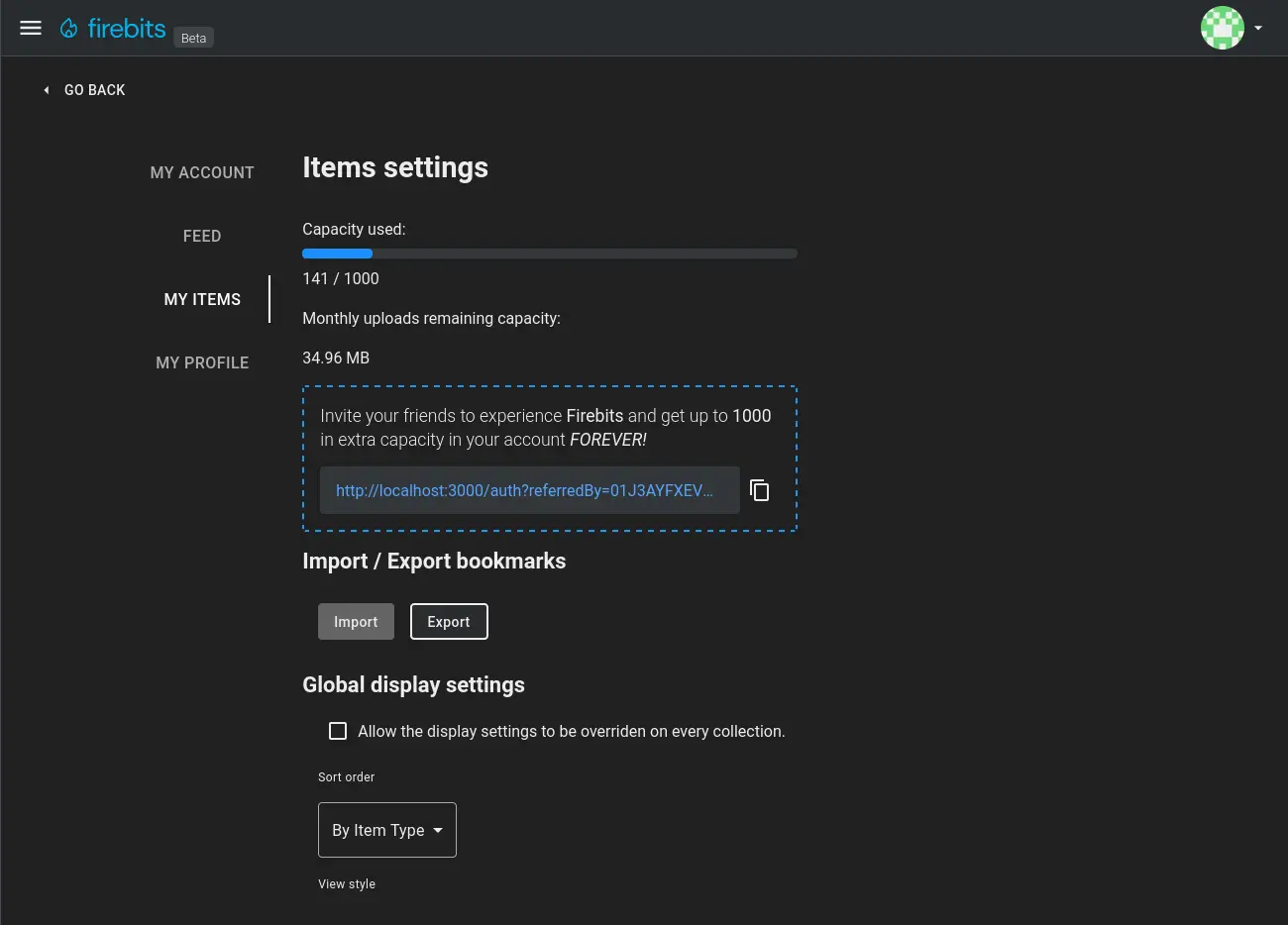

Exporting bookmarks
You can export your bookmarks from Firebits to the aforementioned Netscape Bookmarks file format supported by browsers and other bookmark manager applications by clicking on the Export button from the Import / Export bookmarks section in the My items settings page.